Leave Your Message

10 Tips for Choosing a 20000mAh Wireless Power Bank

A 20,000mAh power bank sounds like an easy choice: more capacity, fewer charging stops. Real use is less simple. A Wireless Power Bank 20000mah can be bulky, slower than a cable, or awkward to align with a phone. Its advertised capacity also does not equal the energy delivered to your device; conversion losses and charging conditions affect the result. That gap matters.

This guide looks at ten practical points to check before buying. Capacity is only one. Compare the power bank’s weight with your daily bag, confirm that its wireless charging standard matches your phone, and check whether wired output is available when speed matters. Read the fine print on charging speeds, ports, and simultaneous wired and wireless use. Small details count. A phone that shifts on a smooth surface may stop charging, while a thick case can reduce performance.

Safety and reliability deserve attention, too. Look for clear manufacturer information, protection features, warranty terms, and credible testing or certification details. Avoid relying on vague claims or attractive packaging alone. A warm device during charging can be normal, but unusual heat, damage, or inconsistent performance should not be ignored. No single model suits every traveler or phone. A large battery may feel reassuring at home, then seem heavy on a short walk. The useful choice is the one that fits your devices, routine, and expectations—not merely the biggest number on the box. Specs help, but they do not tell the whole story.
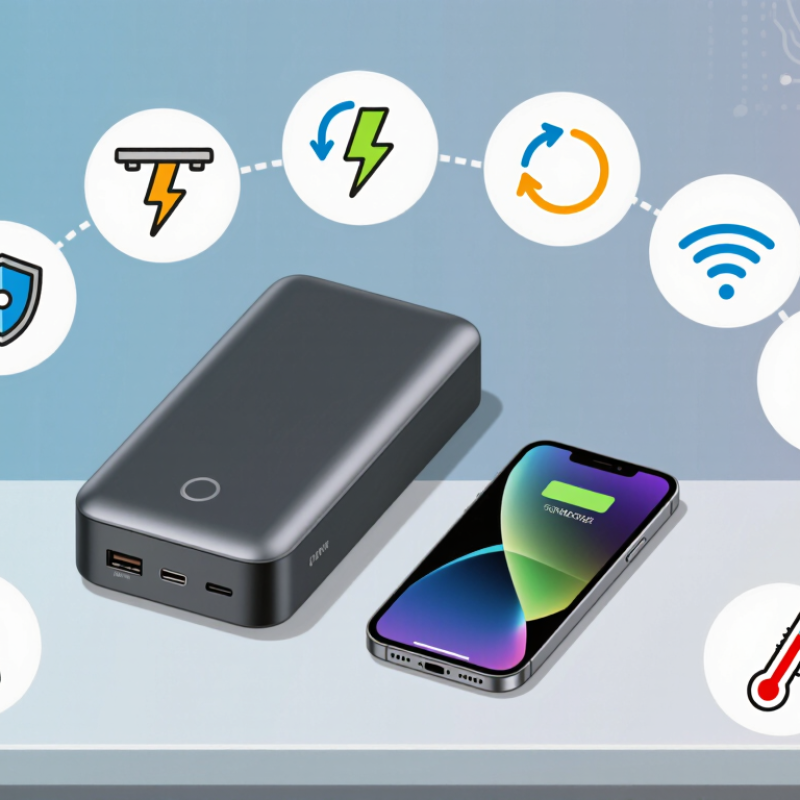
10 Tips for Choosing a 20000mAh Wireless Power Bank

Understanding What a 20,000mAh Capacity Means

A 20,000mAh rating describes charge stored inside the cells, not the amount delivered to your phone. Capacity depends on voltage: at a typical cell voltage of 3.7V, 20Ah represents about 74Wh. When converted to a 5V USB output, that is roughly 14,800mAh before conversion losses. The usable amount is lower. Heat, circuitry, cable quality, and charging conditions all take a share. The label is not a promise of two full phone charges.

This difference matters in real use. A phone may draw power while its screen is bright, maps are open, and the device feels warm. The same bank can then provide fewer charges than a simple capacity comparison suggests. IATA’s passenger guidance uses 100Wh as a key threshold for portable batteries, while noting that airline rules can vary. A 74Wh estimate sits below that threshold, but check the bank’s printed Wh rating and your carrier’s current requirements.

Tip: Compare watt-hours, not just mAh, when checking different models. Look for the rated USB output and test with your own phone and cable. Small details matter. My own rough estimate can still miss real-world losses; temperature and device use make results uneven. IATA Dangerous Goods Regulations and passenger guidance provide the relevant battery thresholds.
Checking Wireless Charging Standards and Device Compatibility

Before choosing a 20,000mAh wireless power bank, check the charging standard listed for both the power bank and your device. Many phones support Qi charging, but not every model accepts the same wireless speeds. A matching standard helps, yet it does not promise maximum output. Check your phone’s manual or settings page for its supported wattage. Small detail, big difference.

Check device type too. Some earbuds charge wirelessly, while others need a case with a compatible receiver. A tablet may support only cable charging. If your phone uses magnetic alignment, confirm the power bank supports that feature. Ordinary Qi pads may still work, but placement can be less steady. A thick case, metal ring, or wallet can interrupt charging. I have seen people blame the battery when the case was the real obstacle.

Compare output, not just capacity. The 20,000mAh figure describes stored energy under test conditions, and conversion losses reduce what reaches your device. Wireless charging can create extra heat and may slow down as temperatures rise. Check the stated wireless wattage, supported profiles, and whether wired charging can run at the same time. Try your own case before travel. I still find this easy to overlook. Compatibility lists can be incomplete, so treat them as a starting point and verify the exact device model.

Wireless Charging Standards: Maximum Rated Power

When choosing a 20,000mAh wireless power bank, check both its supported wireless standard and your device’s charging capabilities. Capacity does not determine wireless charging speed.

Bars show the maximum power level associated with each standard—not a guaranteed charging speed. Actual output depends on the power bank, the receiving device, alignment, and temperature. Confirm that both devices support the same charging profile.

Comparing Charging Speed, Ports, and Power Delivery

A 20,000mAh wireless power bank can look impressive on paper, but charging speed depends on more than capacity. Check the USB-C output rating and confirm it supports Power Delivery if your phone or tablet uses it. A higher wattage rating helps only when the device and cable can accept it. That detail is easy to miss. I used to focus on the biggest number, then realized it said little about real charging time.

Compare the ports as a group, not just one at a time. Some banks reduce output when several devices are connected, so a fast USB-C port may slow down when another port is busy. Check the combined output in the specifications. For wireless charging, alignment matters: a phone shifted slightly on the pad may charge slowly or stop. Heat can also reduce charging speed. On a warm day, wired charging may be the more reliable choice. Capacity figures describe the battery cells, too; conversion losses mean your devices receive less energy. I still find port-sharing details confusing on some product pages, so look for clear output tables before buying.

Assessing Size, Weight, and Everyday Portability

A 20,000mAh wireless power bank can be useful, but its capacity usually means extra bulk. Check the listed weight and thickness, not just product photos. Tip: Put it in your usual bag pocket beside your phone and keys; a few extra millimeters can make the pocket awkward. That test is simple.

Wireless charging needs good coil alignment, and a thick phone case may interrupt contact. Tip: Compare the bank’s dimensions with your phone, then consider whether you’ll carry both together or separately. A desk-friendly model may feel cumbersome on a commute. Measure the pocket opening at home if you plan to store it there daily.

Weight matters over a full day, especially if you walk or carry a small sling bag. Look for clear weight measurements and check whether a cable or stand adds bulk. Then try lifting the bag with the power bank inside, not empty. I would still check the real dimensions twice; photos can make devices look slimmer than they are.

Evaluating Safety Features, Build Quality, and Warranty

A 20,000mAh wireless power bank can feel reassuring, but safety details matter more than its printed capacity. Look for clear protection against overcharging, excessive current, short circuits, and overheating. Any safety mark should be traceable to a genuine testing standard, not merely printed decoration. During charging, place the unit on a hard, open surface. Heat matters. If the case becomes unusually hot, stop using it and check for damage.

Inspect the casing for gaps, loose edges, or a battery pack that shifts when gently handled. A firm shell and secure charging surface can help prevent wear during daily travel. Wireless charging also depends on alignment; a phone that slides slightly may charge slowly or generate extra heat. A textured pad can help, though it may collect dust. No checklist catches every flaw.

Read the warranty before buying. Check its length, what defects it covers, and whether the seller requires proof of purchase. Clarify whether normal capacity loss, damaged cables, or wireless charging faults are excluded. Keep the receipt and warranty details together. A longer warranty sounds reassuring, but the exclusions matter just as much. I would not treat a polished finish or a confident capacity claim as proof of dependable construction.

10 Tips for Choosing a 20000mAh Wireless Power Bank - Evaluating Safety Features, Build Quality, and Warranty
# What to Evaluate What to Look For Why It Matters
1 Verify the rated capacity Check that the stated capacity is 20,000mAh and look for the battery’s nominal voltage or watt-hour (Wh) rating on the product label or specifications. mAh figures are measured at a particular voltage. A 20,000mAh battery rated around 3.6–3.7V stores roughly 72–74Wh internally; the usable capacity at a USB output is lower because voltage conversion uses energy.
2 Check wireless charging compatibility Confirm that the power bank supports the wireless charging standard and phone models you use. Look for clear details about supported wireless output and alignment requirements. Wireless charging can be less efficient than a cable, and charging performance may vary with device compatibility, placement, temperature, and case thickness.
3 Review the safety protections Look for protection against overcurrent, overvoltage, short circuits, overheating, and overcharging, with these protections described in the technical specifications or user documentation. Protection circuitry helps manage common electrical and thermal risks during charging and discharging. Clear documentation makes it easier to assess what safeguards are included.
4 Inspect temperature management Check for temperature monitoring or thermal protection, and use the power bank on a hard, ventilated surface rather than covering it during operation. Wireless charging and high-power charging can generate heat. Excessive heat can reduce charging performance and may shorten battery life.
5 Match wired output to your devices Compare the USB port types and maximum output with your devices’ requirements. If fast charging is important, verify support for the relevant charging protocol and wattage. A high capacity does not automatically mean fast charging. The device, cable, power bank, and charging protocol must all support the desired output.
6 Assess the casing and overall build Look for a firm, evenly fitted casing; clean port edges; stable wireless charging surfaces; and no gaps, cracks, sharp edges, or loose parts. A well-assembled enclosure can better withstand routine handling. Stop using a battery pack if its casing becomes swollen, damaged, unusually hot, or emits an unusual odor.
7 Consider weight, dimensions, and grip Compare the listed weight and dimensions with your intended use, and check whether the surface is comfortable to hold and keeps a phone aligned while charging. A 20,000mAh power bank is generally larger and heavier than lower-capacity models. A practical shape and secure placement can make wireless charging easier to use.
8 Check charging and recharge details Review the maximum input, supported recharge methods, included cable details, and whether the power bank can charge a device while it is being recharged. Recharge time depends on the input power, cable, charger, and the power bank’s charging controls. Pass-through charging should only be used if the product documentation explicitly supports it.
9 Read the warranty terms Check the warranty length, what defects are covered, exclusions for wear or accidental damage, proof-of-purchase requirements, and the process for making a claim. Warranty periods and coverage vary. Reviewing the written terms before purchase helps set realistic expectations about repair or replacement support.
10 Confirm travel and handling guidance Check the watt-hour rating printed on the unit and review the current airline and local transport rules before traveling. Carry spare lithium-ion power banks in cabin baggage when required by airline rules. Many airline rules use a 100Wh threshold for passenger lithium batteries, but limits and approval requirements can vary. The printed Wh rating and current carrier guidance are more useful than mAh alone.