Leave Your Message

Why Choose a Mobile Laptop Charger?

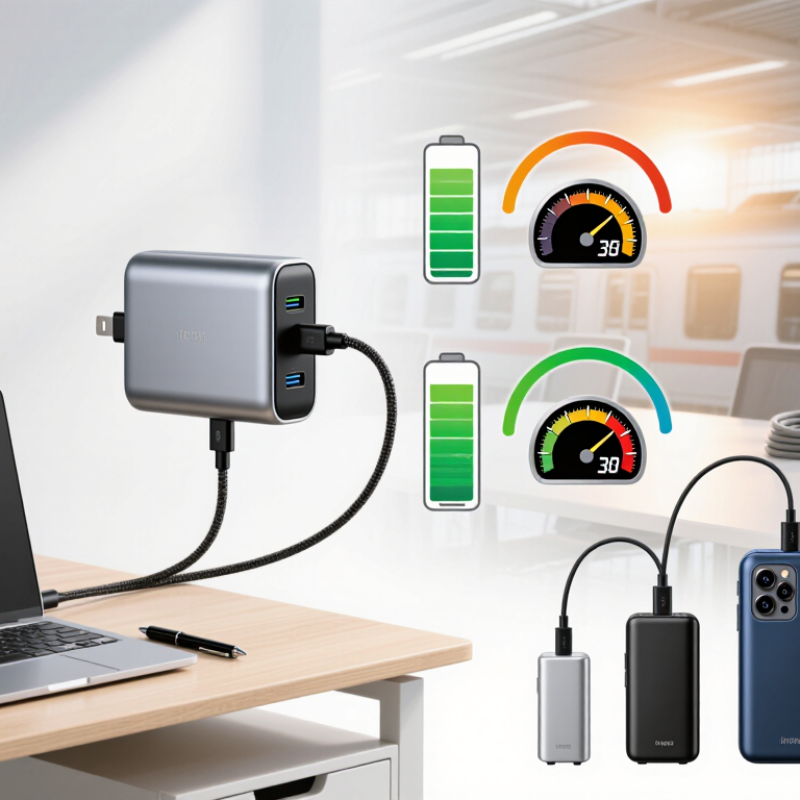
A laptop battery can feel dependable until a long train ride, a crowded airport, or a meeting room without an outlet. A Mobile Laptop Charger offers another way to keep work moving, but choosing one takes more than comparing battery capacity. The charger must match the laptop’s charging requirements, connector, and supported power-delivery standard. A compact model may fit beside a notebook and pen, yet still provide too little output for a demanding computer. Check the manufacturer’s specifications before buying.

Capacity, wattage, weight, and recharge time all shape everyday usefulness. For example, a charger rated at 65 watts may suit some thin laptops, while other models need more power or a proprietary connection. A large capacity can help during a full day away from a desk, but it also adds weight to a bag. Small details matter: cable quality, clear status indicators, and whether the charger can power a laptop while recharging itself. Not magic. This guide explores how to weigh those practical trade-offs, compare charger types, and avoid common compatibility mistakes. It also considers safety features and realistic expectations, since advertised capacity does not always equal usable energy at the laptop. Some choices remain imperfect. The best option depends on your device, routine, and willingness to carry extra weight.
Why Choose a Mobile Laptop Charger?

What Is a Mobile Laptop Charger?

Why Choose a Mobile Laptop Charger?

What Is a Mobile Laptop Charger?

A mobile laptop charger is a portable battery pack that powers or recharges a laptop away from a wall outlet. It stores energy and delivers it through USB-C Power Delivery or, on some models, an AC outlet. That’s the basic idea. Unlike a small phone power bank, it must match a laptop’s wattage and charging protocol. A 65-watt laptop may charge slowly from a 30-watt pack, even when the connector fits. Compatibility is the catch. USB-IF’s 2021 USB Power Delivery 3.1 announcement raised the standard’s maximum power from 100 watts to 240 watts. That is a technical ceiling, not a promise that every portable charger can deliver it.

When choosing one, check its USB-C output rating, not just its capacity in milliamp-hours. Watt-hours make capacity easier to compare across batteries. And advertised capacity is not the same as usable laptop power; conversion losses reduce what reaches the device. Some energy becomes heat. Capacity labels can still mislead. For travel, the U.S. Federal Aviation Administration says spare lithium batteries over 100 watt-hours generally need airline approval in carry-on baggage. Check current airline guidance before packing. A compact pack can be useful at a café or on a long train ride, but its weight may feel less convenient than expected.
How Does a Mobile Laptop Charger Work?

Why Choose a Mobile Laptop Charger?
How Does a Mobile Laptop Charger Work?

A mobile laptop charger is more than a battery with a USB-C socket. Inside, cells store energy as direct current, while control circuits regulate the output. When you connect a laptop, the charger and computer exchange power information over USB-C’s configuration channel. The laptop requests a supported voltage and current; the charger supplies an agreed level. That handshake matters. It helps prevent a small phone charger from pretending it can run a power-hungry laptop.

USB Implementers Forum’s USB Power Delivery 3.1 specification, released in 2021, raised the maximum supported power to 240 watts using Extended Power Range. That figure is a ceiling, not a promise: actual charging depends on the laptop, charger, and cable. A cable also has to support the requested current. USB-IF’s USB Type-C specifications describe electronically marked cables for higher-current use. Check the cable rating, not just the connector shape.

In everyday use, a charger may reduce output as its battery empties or warms up. A laptop can also consume power while you work, so its battery might charge slowly—or barely move. That part is easy to overlook. A charger’s printed wattage tells only part of the story; compatible power profiles and cable capacity matter too. Even the neatest specification cannot predict every real-world setup.

Why Choose a Mobile Laptop Charger? How Does It Work?

USB-C Power Delivery chargers negotiate a supported voltage and current with the laptop. The chart shows example fixed-voltage power profiles; actual profiles vary by charger and device.

The charger converts power from its input into regulated DC output. After the laptop and charger negotiate a compatible profile, the laptop manages how that power is used to charge its battery and run the system.

What Benefits Does It Offer for Mobile Use?

Why Choose a Mobile Laptop Charger?

A mobile laptop charger makes it easier to work away from a desk. For commuters, a compact unit can fit beside a notebook and headphones in a small bag. It can also reduce the need to search for a wall outlet during a long train ride or between meetings. That matters. A charger with enough output for your laptop may keep it running while you work, though charging speed depends on the device and cable.

Portability is useful only when the charger matches your needs. Check your laptop’s required power and connector before buying; a small charger may charge slowly or fail to support demanding tasks. Look for clear output ratings and built-in safeguards against overheating or overcurrent. Heat can still build up during heavy use, so keep the charger uncovered and use it on a firm surface. A higher-capacity model may offer more flexibility, but it can also add noticeable weight. I would not assume the smallest option is always the best. Consider how far you travel, how long you work, and whether carrying a little extra weight is worth fewer interruptions.

Which Features Matter When Choosing a Charger?

A mobile laptop charger is useful when outlets are scarce, but portability alone is not enough. Check your laptop’s required wattage and charging standard before buying. A charger with lower output may charge slowly or fail to power the computer during demanding tasks. USB-C Power Delivery works with many newer laptops, but compatibility still depends on the device.

Capacity, weight, and safety features matter too. A larger battery may provide more energy, yet it can feel heavy in a backpack. Compare the stated capacity with your laptop’s needs, and remember that real-world performance varies with screen brightness, workload, and battery age. Look for overcurrent, overvoltage, and temperature protection. Check the cable rating as well; a capable charger paired with a weak cable can limit charging. Small details matter.

Tips: Read your laptop’s power specifications, then match the charger’s output. If possible, test it during a normal work session. Notice whether the battery level rises while you edit documents or join a video call. I’ve found that advertised capacity alone can be misleading, so leave room for some uncertainty.

How Can You Use and Maintain It Safely?

A mobile laptop charger can keep a workday moving when outlets are scarce. Before connecting one, check that its output matches your laptop’s stated charging requirements. A USB-C connector alone does not guarantee enough power. If the charger supplies too little, charging may be slow or stop during demanding tasks. Check the cable, too; a damaged connector can become hot.

Keep the charger on a hard, open surface while it runs. A soft blanket can trap heat around its vents. Avoid using it near sinks, in damp bags, or under direct sun. Small details matter. If the case is cracked, swollen, unusually warm, or smells odd, unplug it and stop using it. Don’t try to repair a battery pack yourself.

For storage, follow the maker’s instructions and keep the unit cool and dry. Unplug it before cleaning, then wipe the exterior with a dry cloth. Check cables regularly for fraying, especially near the ends, where bending wears them down. I still find it easy to toss a charger into a crowded bag without checking the cable. That habit is worth reconsidering. A quick inspection takes seconds, and it can prevent a damaged charger from becoming a bigger problem.

Why Choose a Mobile Laptop Charger? - How Can You Use and Maintain It Safely?

Practical guidance for selecting, using, and caring for a portable laptop charger.
Data Dimension Guidance Why It Matters Useful Check
Portability A compact charger or laptop-compatible power bank can provide power away from a wall outlet. It can be useful during travel, commuting, or work in locations with limited access to mains power. Check the charger’s weight, dimensions, and stated capacity before buying.
Power output Choose an output that meets the laptop manufacturer’s requirements. USB-C Power Delivery chargers are available at different power levels, and not every laptop accepts charging through USB-C. An underpowered charger may charge slowly or fail to keep up while the laptop is in use. A compatible device and charger negotiate supported power levels. Compare the laptop’s charging specifications with the charger’s output ratings and supported charging protocol.
Connector and cable Use a connector and cable rated for the required charging method and power. Do not force a plug into a port. Connector fit alone does not confirm that a cable supports the needed power or data and charging features. Look for the cable’s stated power rating and replace cables with exposed wires, damaged insulation, or loose connectors.
Power-bank compatibility Confirm that the power bank provides a compatible output and has enough usable energy for the intended trip. Capacity figures do not equal the energy delivered to a laptop; conversion losses and the laptop’s power use affect runtime. Check the power bank’s output specifications and airline rules before flying.
Charging location Charge on a hard, stable, well-ventilated surface. Keep the charger and power bank away from bedding, direct heat, and moisture. Blocking ventilation or exposing electrical equipment to liquids can increase the risk of overheating or damage. Stop using the equipment if it becomes unusually hot, emits an odor, or shows swelling or other damage.
Inspection and maintenance Periodically check the charger, cable, ports, and power bank for cracks, fraying, corrosion, or other visible damage. Damaged charging equipment can create an electrical or fire hazard. Unplug damaged equipment and have it replaced or assessed by a qualified service provider.
Storage and transport Keep a power bank dry and protected from sharp objects, crushing, and extreme heat. Use its protective cover if provided. Physical damage and high temperatures can harm rechargeable batteries. Follow the product’s storage instructions and do not carry a visibly swollen or damaged battery.
Unattended charging Follow the manufacturer’s charging instructions and avoid leaving damaged or overheating equipment connected unattended. Careful supervision makes it easier to notice abnormal heat, noise, or other warning signs. Disconnect the charger when charging is complete if the manufacturer recommends doing so, or if any abnormal condition occurs.